Specify width and height
By default, the output size of capture is determined from the width and height used by the command or terminal.
Use -w / --width to specify width and -h / --height to specify height in character cells.
Fixing width and height
Section titled “Fixing width and height”console2svg capture -w 50 -h 5 -- console2svg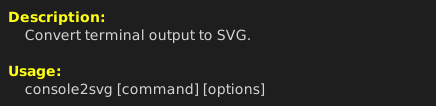
This example creates a terminal area that is 50 characters wide and 5 lines tall. If the command output exceeds the area, wrapping and scrolling occur just as they would in a terminal.
Specifying only width or height
Section titled “Specifying only width or height”Width and height can be specified independently. The side you do not specify is determined from the normal terminal size or the command output.
# Fix only the width to 50 charactersconsole2svg capture --width 50 -- console2svg
# Fix only the height to 5 linesconsole2svg capture -h 5 -- console2svg