System Status Check
Available since v0.9
The console2svg status command inspects and diagnoses the current execution environment, renderer operational status, and available system features.
It allows you to verify in advance whether features dependent on external tools—such as video conversion, various image format exports, and tmux integration—will function correctly.
Verifying Tools Through Actual Execution
Section titled “Verifying Tools Through Actual Execution”Unlike conventional tools that merely check for the existence of executables on PATH, the status command actively launches each external tool as a subprocess to verify its response and version string.
This proactive check detects common configuration issues early, such as missing execution permissions or broken symlinks where a binary exists on PATH but fails to run.
For SVG renderers in particular, the command performs a trial run (probe) by attempting to rasterize a minimal SVG sample, reporting only truly functional converters as available.
Running the Command
Section titled “Running the Command”Running the command without arguments prints a color-coded table formatted for terminal display.
console2svg statusExample output (versions, paths, and availability vary depending on your operating system and installed packages):
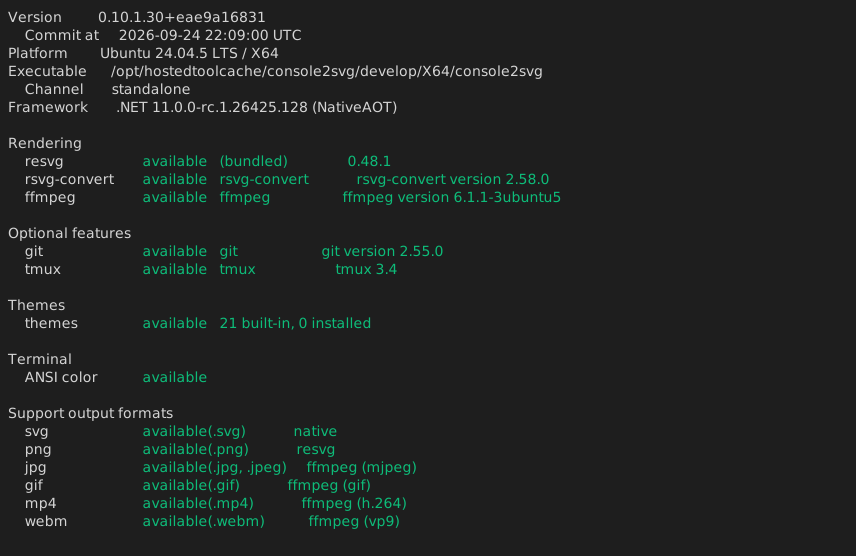
Displayed items are grouped into the following categories:
- Application: console2svg version, installation channel, and Native AOT compilation status
- Platform: Operating system, CPU architecture, and .NET runtime version
- Renderers: Detection status of bundled resvg, rsvg-convert, ffmpeg, and video MP4 codecs (e.g., libx264)
- Features: Operational readiness of key capabilities such as video capture and tmux integration
- Themes: Count of recognized built-in and custom user themes
- Colors / Formats: Terminal ANSI color support level and available output file extensions
Changing the Output Format
Section titled “Changing the Output Format”Use the --format option to select an output format suited to your workflow:
console2svg status --format markdown--format table(default): A colorized table optimized for human reading in terminal emulators.--format markdown: A Markdown table ready to paste directly into GitHub Issues, Pull Requests, or Discussions, ideal for bug reporting and environment diagnostics.--format json(or--json): Detailed, structured JSON data suited for automation scripts and CI/CD diagnostic pipelines.