Automatic masking
Available since v0.10
When converting output to SVG, console2svg includes a built-in feature that scans text content and automatically detects and masks sensitive information.
Overview
Section titled “Overview”The built-in secret detection engine QuickLeaks automatically protects the following sensitive information.
- GitHub Personal Access Token (
ghp_...,github_pat_...) - AWS Access Key / Secret Key
- Various API tokens (Slack, Stripe, OpenAI, etc.)
- RSA / SSH private keys
- URIs with credentials (
******host/...) - Git committer information
Detected text areas are covered with filled rectangles (or masks) during SVG generation so that the original plaintext does not remain in the SVG file.
Concrete example
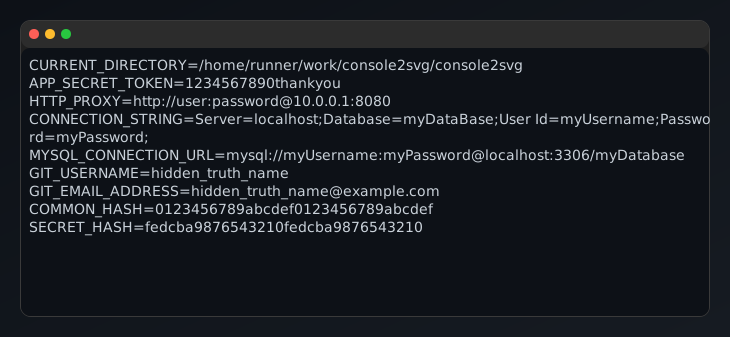
Section titled “Concrete example”cat <<EOF > .envCURRENT_DIRECTORY=$(pwd)APP_SECRET_TOKEN=1234567890thankyouHTTP_PROXY=http://user:password@10.0.0.1:8080CONNECTION_STRING=Server=localhost;Database=myDataBase;User Id=myUsername;Password=myPassword;MYSQL_CONNECTION_URL=mysql://myUsername:myPassword@localhost:3306/myDatabaseGIT_USERNAME=hidden_truth_nameGIT_EMAIL_ADDRESS=hidden_truth_name@example.comCOMMON_HASH=0123456789abcdef0123456789abcdefSECRET_HASH=fedcba9876543210fedcba9876543210EOF
console2svg capture -80 -h 14 -d macos-pc -t github-dark -- cat .env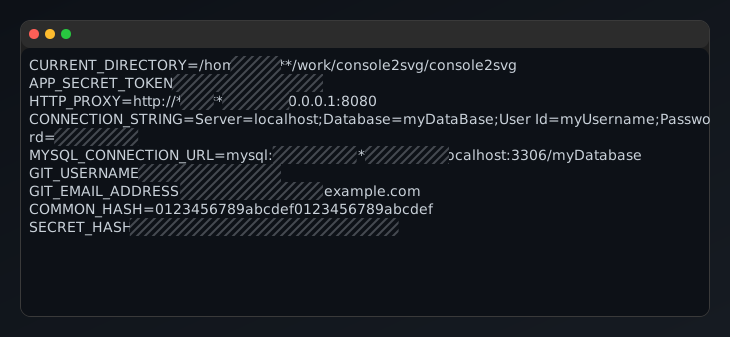
Enabling and disabling
Section titled “Enabling and disabling”Automatic masking is enabled by default (--mask-auto true). Normally it works without any additional options.
If you want to display sample dummy keys as-is, specify --mask-auto false.
console2svg capture -80 -h 14 -d macos-pc -t github-dark --mask-auto false -- cat .env