Why Choose SVG?
console2svg adopts SVG (Scalable Vector Graphics: an XML-based standard for two-dimensional vector graphics) as its primary format for capturing terminal states. Compared to raster graphics formats such as PNG or GIF animations commonly used by screenshot utilities, vector graphics are optimal for terminal screens predominantly composed of text and box-drawing lines.
Resolution-Independent Sharpness
Section titled “Resolution-Independent Sharpness”SVG records images as geometric instructions—character coordinates and vector line paths—rather than fixed pixel grids.
fastfetchVector Rendering with SVG
Section titled “Vector Rendering with SVG”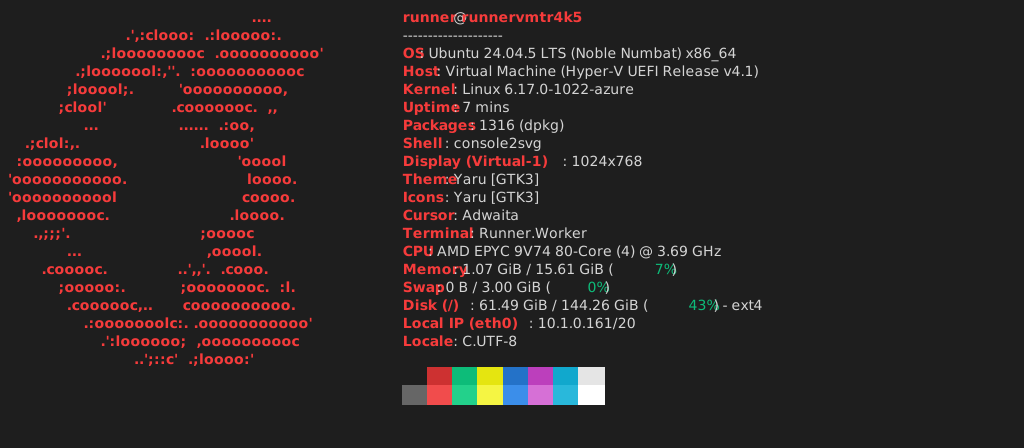
Raster Rendering with PNG
Section titled “Raster Rendering with PNG”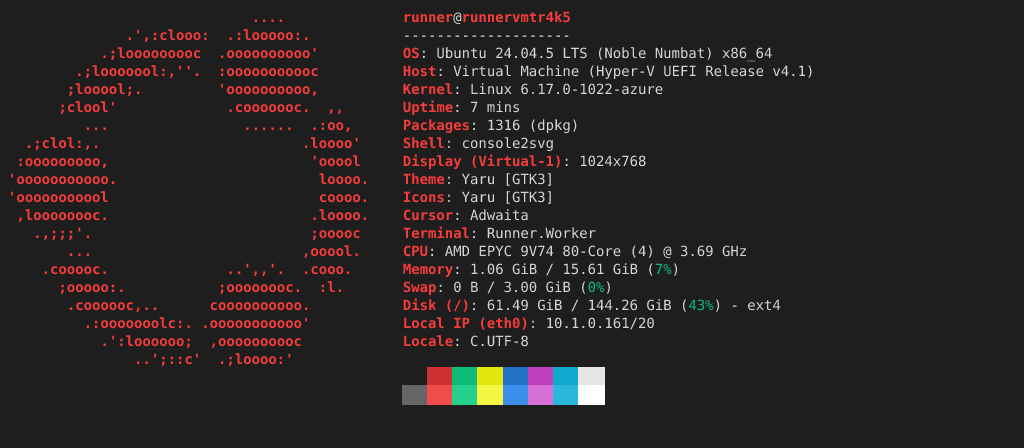
In raster formats such as PNG, character edges and thin border lines blur when scaled up or viewed on high-DPI displays (such as Retina screens). In contrast, SVG allows browsers and image viewers to compute character outlines on the fly for any given display scale, maintaining crisp, artifact-free text across zoomed windows, high-resolution screens, and print publications.
Minimal File Size via Data Consolidation
Section titled “Minimal File Size via Data Consolidation”Terminal output consists largely of expansive solid-color backgrounds and discrete character sequences.
Instead of rasterizing hundreds of thousands of individual pixels, SVG consolidates contiguous background cells into single rectangles (<rect>) and consecutive characters into structured strings (<text>), minimizing redundant data.
- output.png (60,717 bytes)
- output.svg (8,455 bytes)
As shown above, for identical terminal contents, the SVG file size is approximately one-seventh that of the corresponding PNG. Even when embedding dozens of terminal illustrations into documentation sites or Git repositories, storage consumption and asset download latency remain minimal.
High Portability Across Web Standards
Section titled “High Portability Across Web Standards”SVG is an open standard maintained by the W3C and supported natively by all modern web browsers.
Unlike terminal recorders like asciinema, SVG requires no heavyweight JavaScript player runtimes or dedicated CSS stylesheets.
Embedding images using standard Markdown image syntax () renders seamlessly on GitHub READMEs, technical blogs, and static site generators out of the box:
Text Transparency and Accessibility
Section titled “Text Transparency and Accessibility”Inside an SVG file, terminal output strings are preserved as actual plain text within <text> elements.
Unlike raster images where text is permanently baked into pixels, SVG files allow you to inspect contents in any code editor or search text via standard command-line tools such as grep.
Furthermore, preserving text structures provides intrinsic support for screen readers and assistive accessibility tools, retaining the inherent utility of plain text while functioning as visual graphics.