Overview
Use the capture subcommand to save the result of any CLI command as a vector SVG still image.
Basic usage
Section titled “Basic usage”-
Run
console2svg capture -- (command).Terminal console2svg capture -- console2svg -
The screen at the end of the executed command is output as
output.svg.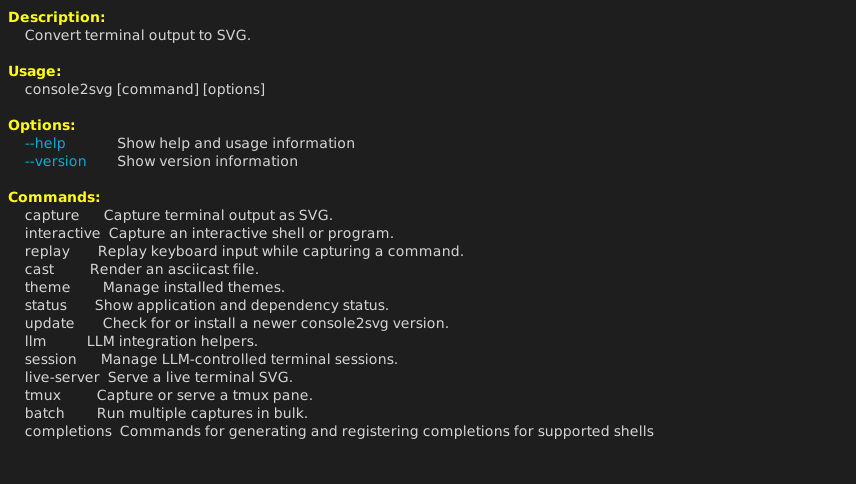
Main options
Section titled “Main options”The options commonly used for still-image capture are as follows.
-o <path>: Specify the output file path (default:output.svg).-c/--with-command: Add an executed command line such as$ console2svgat the beginning of the output.--prompt <text>: Change the command-line prompt symbol (default:$or#).-w <chars>: Specify the terminal width (number of characters).-h <lines>: Specify the terminal height (number of lines).--timeout <sec>: Automatically stop the command after the specified number of seconds. Use this when capturing commands that do not exit.--frame <index>: Output the screen for a specified frame number instead of the screen at command exit.--time <sec>: Output the screen at the specified elapsed time.--stdout: Write SVG data to standard output instead of a file.
See capture options for details.
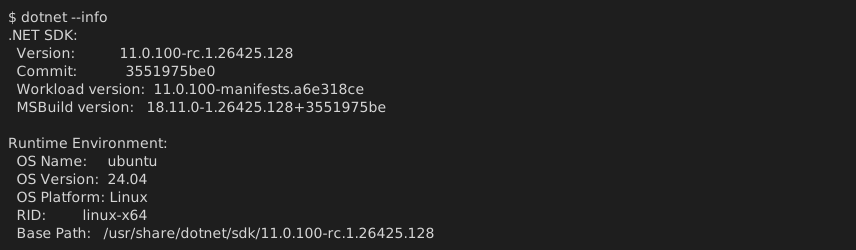
Example
Section titled “Example”# Output with executed command, width 100 characters, height 12 lines, and a custom file nameconsole2svg capture -o console2svg.svg -c -w 100 -h 12 -- dotnet --info