Crop output
When you want to include only part of a build log or command output in documentation, the crop feature lets you extract only the necessary area and convert it to SVG.
Crop options
Section titled “Crop options”Specify the crop amount for each side with the following options.
| Option | Description |
|---|---|
--crop-top | Crop the top side |
--crop-bottom | Crop the bottom side |
--crop-left | Crop the left side |
--crop-right | Crop the right side |
How to specify values
Section titled “How to specify values”Pixels (px) or characters (ch)
Section titled “Pixels (px) or characters (ch)”Specify numeric values directly in pixels (px) or character/line counts (ch).
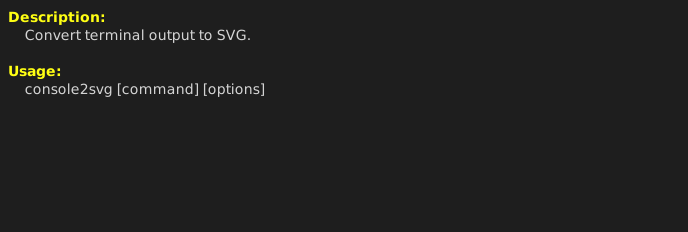
# Before croppingconsole2svg capture -w 80 -h 12 -- console2svg
# Crop 20px from the top, 3 lines from the bottom, 10px from the left, and 10 characters from the rightconsole2svg capture -w 80 -h 12 \  --crop-top 20px --crop-bottom 3ch \  --crop-left 10px --crop-right 10ch -- console2svg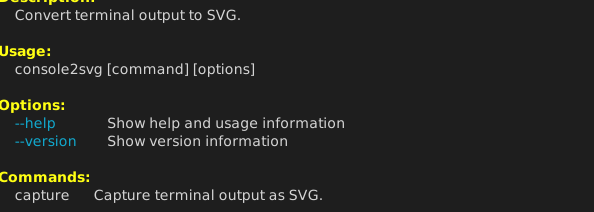
Cropping by text pattern
Section titled “Cropping by text pattern”You can also crop dynamically relative to the position where a specific string appears.
# Crop everything below the line where the string "Options" appearsconsole2svg capture -w 80 -h 12 --crop-bottom "Options" -- console2svg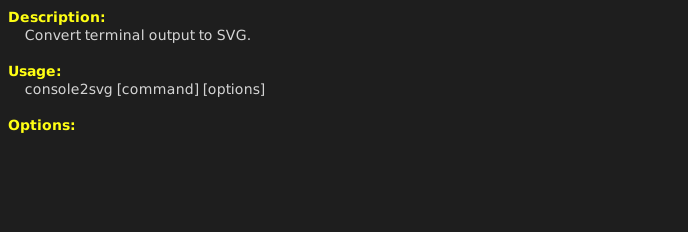
By specifying an offset line count, you can crop from lines before or after the matched line.
# Keep up to 2 lines (-2) before "Options"console2svg capture -w 80 -h 12 --crop-bottom "Options::-2" -- console2svg